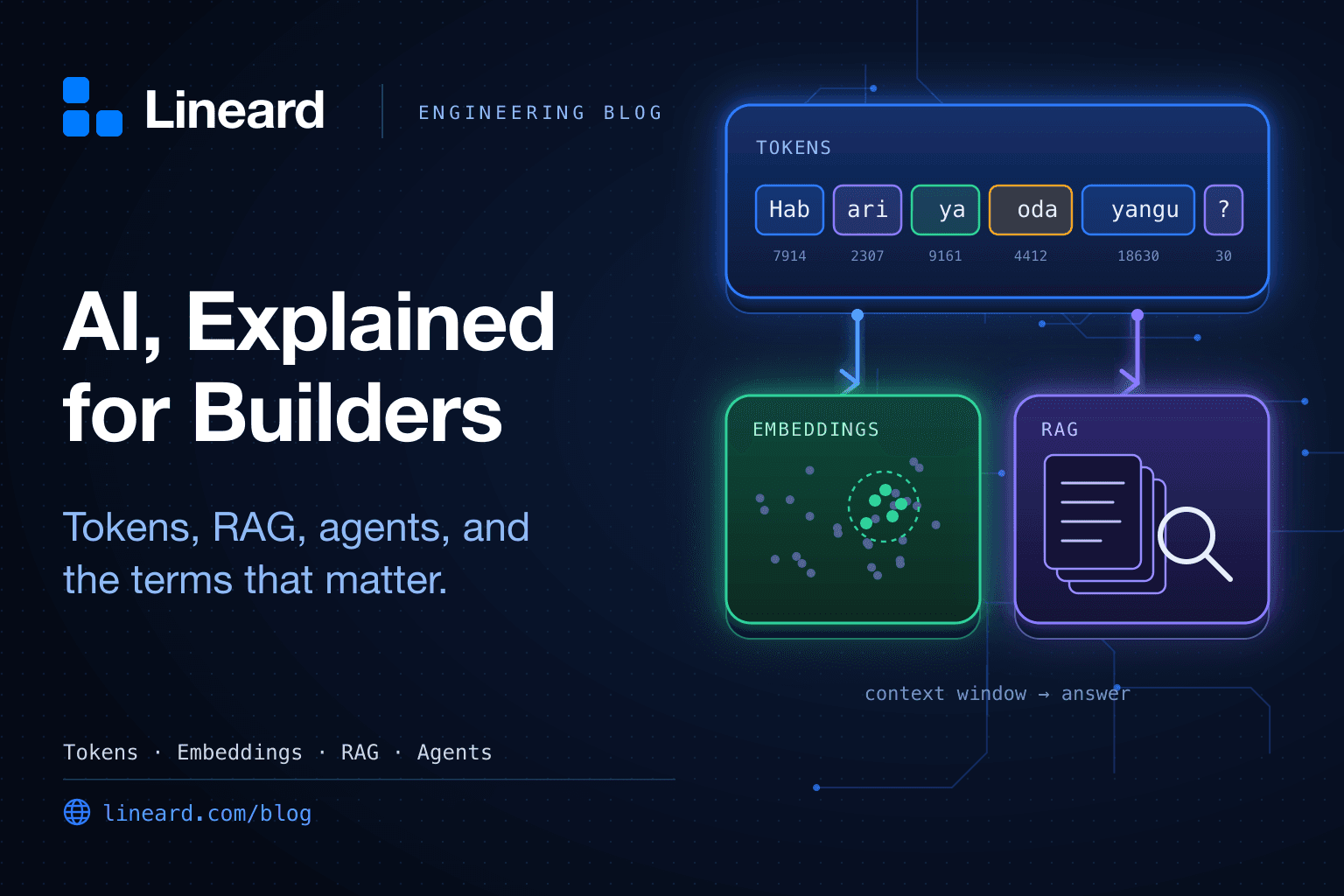
Tokens, context windows, embeddings, RAG, agents, fine-tuning — the vocabulary of AI moves fast, and most explanations are either marketing or maths. This guide sits in between. It explains the terms you'll actually meet when you build with large language models: what each one means, why it matters for cost, quality, or security, and what it looks like in code.
It's written for developers, product people, and founders who want to make good decisions about AI features — not to train models from scratch. Read it top to bottom, or jump to a term from the side list.
How a request to an LLM actually works
Before the glossary, the big picture. When your app “asks the AI” something, this is what happens:
- Your code assembles a prompt: instructions, the conversation so far, any documents you retrieved, and the definitions of tools the model may call.
- The prompt is split into tokens and sent to the model, which must fit it all inside its context window.
- The model generates a reply one token at a time — a process called inference — usually streamed back as it goes.
- The reply is either text for the user, structured data for your code, or a tool call asking your code to do something and report back.
- You pay for the tokens in and the tokens out.
Nearly every term below is a detail of one of those steps.
The model itself
Large language model (LLM)
A neural network trained on huge amounts of text to predict the next piece of text. That single skill — continuing text plausibly — turns out to cover writing, summarising, translating, coding, and reasoning through problems. Claude, GPT, Gemini, Llama, and Mistral are all LLMs.
The important consequence: an LLM produces likely text, not verified text. Everything about using them well follows from that.
Parameters
The learned numbers (weights) inside the model, counted in billions. More parameters generally means more capability and more cost to run. When you see “8B” or “70B” in a model name, that's the parameter count.
Training, fine-tuning, and inference
- Pre-training is the expensive phase where a model learns from a vast dataset. Only model labs do this.
- Fine-tuning continues training on a smaller, specific dataset to adjust style, format, or domain behaviour. LoRA (low-rank adaptation) is a popular cheap way to do it by training a small add-on instead of the whole model.
- Inference is using the trained model to produce output. Every API call you make is inference, and it's what you pay for.
Open-weights vs. hosted models
Hosted (or API) models run on a provider's servers — you send a request, get a response, and pay per token. Open-weights models (like Llama or Mistral) can be downloaded and run on your own hardware, which helps with data residency and predictable cost but makes you responsible for GPUs, scaling, and updates.
Quantization
Storing a model's weights at lower precision — say 4-bit instead of 16-bit — so it fits on smaller, cheaper hardware. You trade a little quality for a lot of memory. It's how people run capable open models on a single GPU or even a laptop.
Reasoning models
Models that “think” before answering by generating intermediate reasoning tokens. They do better on multi-step problems — maths, code, planning — but are slower, and those thinking tokens are usually billed as output. Use them where the extra accuracy is worth it, not for every request.
Multimodal
A model that accepts (or produces) more than text — images, audio, PDFs, video. Useful for reading receipts, ID documents, screenshots, and scanned forms. Images and files are converted into tokens too, so they count toward cost and context.
Tokens, context, and cost
Tokens
Models don't read words; they read tokens — chunks of text that might be a whole word, part of a word, or punctuation. “Tokenization” might become Token + ization. A common rule of thumb for English is about 4 characters, or ¾ of a word, per token, so 1,000 tokens is roughly 750 words.
Two practical consequences. First, tokens are the unit of price, speed, and limits. Second, languages other than English — including Swahili — often need more tokens for the same meaning, so the same feature can cost more and fit less context in another language. Measure with your real content.
// A rough estimate for budgeting and guardrails. For exact counts, use your
// provider's token-counting endpoint or tokenizer library.
export function estimateTokens(text: string): number {
  return Math.ceil(text.length / 4);
}

estimateTokens("Habari! Ningependa kujua hali ya oda yangu."); // ≈ 11 (measure: often more)
Context window
The maximum number of tokens a model can consider at once — your instructions, the conversation, retrieved documents, tool definitions, and its reply all share it. Modern models offer anywhere from tens of thousands to a million or more tokens.
A big window isn't free: you pay for every token you send, on every request, and models can pay less attention to details buried in the middle of a very long context. Sending the right 5,000 tokens usually beats sending 500,000.
Input vs. output tokens
Providers price the tokens you send (input) and the tokens the model generates (output) separately, and output is typically several times more expensive. A quick back-of-the-envelope with illustrative prices:
| Item | Tokens | Illustrative price | Cost |
|---|---|---|---|
| Input (prompt + documents) | 2,000 | $3 per million | $0.0060 |
| Output (reply) | 500 | $15 per million | $0.0075 |
| One request | $0.0135 | ||
| 10,000 requests/day | ≈ $135/day |
Prices vary a lot between models and change often, so plug in your provider's current numbers. The habit that matters is doing this maths before launch, not after the first invoice.
Prompt caching
If many requests start with the same long prefix — a big system prompt, a policy document, tool definitions — providers can cache it and charge much less for those tokens on repeat requests, while also responding faster. Put stable content first and variable content last to benefit.
Latency, time to first token, and streaming
Latency is how long a response takes. Time to first token (TTFT) is how long until the first piece appears. Because models generate token by token, you can stream output to the user as it's produced, which makes a 10-second answer feel responsive. Long outputs are slow; shorter, more focused replies are faster and cheaper.
Rate limits
Providers cap how many requests and tokens you can use per minute. Plan for them: queue work, retry with backoff on 429 responses, and set your own per-user limits so one customer can't use up everyone's capacity.
Prompting and controlling output
Prompt, system prompt, and messages
The prompt is everything you send. Most APIs split it into a system prompt (standing instructions: role, tone, rules) and a list of messages alternating between user and assistant. The model has no memory between requests — “conversation history” is just your code re-sending earlier messages every time.
Zero-shot and few-shot prompting
Zero-shot means asking for a task with instructions only. Few-shot means including a handful of worked examples in the prompt. A few good examples are often the fastest way to get a consistent format — and much cheaper than fine-tuning.
Temperature and top-p
Sampling settings that control randomness. Temperature near 0 makes the model pick the most likely tokens (more consistent, good for extraction and classification); higher values add variety (useful for brainstorming and copy). Top-p limits choices to the most probable tokens whose probabilities add up to p. Adjust one, not both. Even at temperature 0, outputs aren't guaranteed to be identical every time.
Structured output
Asking the model to return data in a fixed shape — usually JSON matching a schema — instead of prose. Many APIs can enforce a schema directly. Either way, validate it in your code before you trust it:
import { z } from "zod";

const Invoice = z.object({
  supplier: z.string(),
  invoiceNumber: z.string(),
  totalMinor: z.number().int().nonnegative(), // cents, never floats for money
  currency: z.enum(["KES", "NGN", "GHS", "ZAR", "USD"]),
  dueDate: z.string().date().nullable(),
});

export async function extractInvoice(text: string) {
  const res = await llm.complete({
    system: "Extract invoice fields. Reply with JSON only. Use null when a field is missing.",
    messages: [{ role: "user", content: text }],
    temperature: 0,
    responseFormat: "json",
  });

  // The model's output is a suggestion until it passes validation.
  const parsed = Invoice.safeParse(JSON.parse(res.text));
  if (!parsed.success) throw new Error("Could not extract invoice");
  return parsed.data;
}
Hallucination
When a model states something false with confidence — an invented citation, a wrong price, an API that doesn't exist. It's not a bug that will be patched away; it's a side-effect of generating likely text. You reduce it by giving the model the right source material (see RAG), asking it to cite, letting it say “I don't know,” and checking important claims in code.
Embeddings and RAG
Embeddings
An embedding is a list of numbers (a vector, often hundreds to a few thousand long) that represents the meaning of a piece of text. Texts with similar meanings get vectors that point in similar directions — so “How do I get a refund?” and “I want my money back” land close together even though they share no words. Embedding models are separate from chat models and much cheaper to run.
Similarity search
Comparing vectors to find the most related texts. The usual measure is cosine similarity — the angle between two vectors — where 1 means the same direction and 0 means unrelated:
export function cosineSimilarity(a: number[], b: number[]): number {
  let dot = 0, normA = 0, normB = 0;
  for (let i = 0; i < a.length; i++) {
    dot += a[i] * b[i];
    normA += a[i] * a[i];
    normB += b[i] * b[i];
  }
  return dot / (Math.sqrt(normA) * Math.sqrt(normB));
}
Vector database
A store built to search millions of embeddings quickly. You don't always need a new product for this: if you already run PostgreSQL, the pgvector extension adds a vector column type and fast nearest-neighbour indexes, next to the rest of your data.
RAG (retrieval-augmented generation)
The most useful pattern in applied AI. Instead of hoping the model knows your refund policy or product catalogue, you retrieve the relevant passages from your own data and put them in the prompt, so the model generates an answer grounded in them. It keeps answers current (update the documents, not the model), lets you cite sources, and keeps private data out of training.
A RAG system has two halves:
- Indexing (ahead of time): split documents into chunks, embed each chunk, and store the vectors with their text.
- Querying (per request): embed the question, find the closest chunks, and send them with the question to the model.
// Indexing: split into overlapping chunks so ideas aren't cut in half.
export function chunk(text: string, size = 1_200, overlap = 200): string[] {
  const chunks: string[] = [];
  for (let start = 0; start < text.length; start += size - overlap) {
    chunks.push(text.slice(start, start + size));
    if (start + size >= text.length) break;
  }
  return chunks;
}

export async function indexDocument(docId: string, text: string) {
  for (const [i, content] of chunk(text).entries()) {
    const embedding = await embed(content); // number[] from your embedding model
    await db.query(
      "INSERT INTO kb_chunks (doc_id, position, content, embedding) VALUES ($1, $2, $3, $4)",
      [docId, i, content, JSON.stringify(embedding)],
    );
  }
}// Querying: retrieve the closest chunks, then answer from them.
export async function answer(question: string) {
const queryVector = await embed(question);
const { rows } = await db.query(
`SELECT id, content
FROM kb_chunks
ORDER BY embedding <=> $1 -- pgvector cosine distance
LIMIT 5`,
[JSON.stringify(queryVector)],
);
const sources = rows
.map((r) => `<source id="${r.id}">\n${r.content}\n</source>`)
.join("\n");
return llm.complete({
system:
"Answer using only the sources. Cite source ids. " +
"If the sources don't contain the answer, say you don't know.",
messages: [{ role: "user", content: `${sources}\n\nQuestion: ${question}` }],
});
}Chunking, top-k, and reranking
- Chunking is how you split documents. Too small and chunks lose context; too big and they dilute the match. Splitting on headings or paragraphs usually beats fixed character counts.
- Top-k is how many chunks you retrieve (the
LIMIT 5above). - Reranking retrieves a wider set (say 30) and uses a second, more precise model to pick the best few. It's one of the cheapest ways to improve answer quality.
- Hybrid search combines vector search with keyword search, which helps with exact terms like order numbers, product codes, and names.
Prompting vs. RAG vs. fine-tuning
Three ways to make a model fit your use case. Most teams should try them in this order:
| Approach | Changes | Best for | Cost and effort |
|---|---|---|---|
| Better prompts | Instructions and examples | Format, tone, simple tasks | Lowest — minutes to iterate |
| RAG | What the model knows right now | Your documents, policies, catalogue, anything that changes | Moderate — an index to maintain |
| Fine-tuning | How the model behaves | Consistent style or format at high volume, specialised tasks | Highest — data, training, re-evaluation |
Tools and agents
Tool calling (function calling)
You describe functions to the model — a name, a description, and a JSON schema for the arguments. Instead of answering directly, the model can reply with a request to call one. Your code runs the function and sends the result back, and the model continues. The model never executes anything itself; it only asks.
Agents
An agent is a model running in a loop: it decides which tool to call, sees the result, decides the next step, and repeats until the task is done. That loop is what lets AI book an appointment, triage a support ticket, or reconcile a payout — and it's also what makes mistakes more costly, because the model is now acting, not just talking.
// The core of every agent: call the model, run requested tools, repeat.
export async function runAgent(goal: string, ctx: ToolContext, maxSteps = 8) {
  const messages: Message[] = [{ role: "user", content: goal }];

  for (let step = 0; step < maxSteps; step++) {
    const res = await llm.complete({ system: AGENT_PROMPT, messages, tools: toolDefinitions });
    messages.push(res.message);

    if (res.toolCalls.length === 0) return res.text; // finished

    for (const call of res.toolCalls) {
      // Your code decides whether and how to run it — with the user's
      // permissions, validated arguments, and limits.
      const result = await executeTool(call.name, call.arguments, ctx);
      messages.push({ role: "tool", toolCallId: call.id, content: JSON.stringify(result) });
    }
  }
  throw new Error("Agent stopped: step limit reached");
}
Note the step limit: without one, a confused agent can loop forever and run up a bill. For agents that move money, read Letting an AI Agent Touch Money.
MCP (Model Context Protocol)
An open standard, introduced by Anthropic in late 2024, for connecting AI applications to tools and data sources. Instead of writing a custom integration for every assistant, you build an MCP server once — exposing, say, your orders API or knowledge base — and any MCP-compatible client can use it. Think of it as a common plug shape for AI tools. Because MCP servers can act on real systems, treat them with the same care as any API that holds credentials.
Memory
Since models don't remember between requests, “memory” is something your app builds: storing facts or summaries from past conversations and adding the relevant ones to future prompts — often with the same embedding search used for RAG.
Quality, safety, and trust
Evals
Automated tests for AI behaviour: a set of realistic inputs with checks on the outputs — exact matches for extraction, rules for format, or another model grading quality. Evals are how you know whether a new prompt or model is actually better, instead of judging from a couple of chats. Start with 20–50 real examples; it's enough to catch regressions.
Guardrails
Checks around the model: validating input before it's sent, and output before it's shown or acted on — blocking personal data, enforcing formats, filtering unsafe content, or limiting what tools can do. The most reliable guardrails are ordinary code, not more instructions in the prompt.
Prompt injection
An attack where text the model reads — a user message, a web page, an email, a document — contains instructions that hijack its behaviour. It's the number-one risk on the OWASP LLM Top 10, and there's no complete fix yet, so the defence is limiting what a hijacked model could do.
Grounding and citations
Grounding means tying answers to real source material, usually via RAG. Citations make it checkable: the model points at the passage it used, and your code can verify that passage exists. Both build user trust and make errors easier to catch.
Data privacy
Everything in a prompt is sent to whoever runs the model. Check your provider's terms on data retention and training, send only the fields a task needs, and remember that regulations such as Kenya's Data Protection Act apply to personal data in prompts and logs just as they do to your database.
Quick reference
| Term | In one line |
|---|---|
| Token | The unit models read, write, and bill in — about ¾ of an English word |
| Context window | How many tokens the model can consider at once, reply included |
| Temperature | Randomness dial — low for consistency, higher for variety |
| Embedding | A vector that captures the meaning of text |
| Vector database | Storage that finds the most similar embeddings fast |
| RAG | Retrieve your relevant data, then generate an answer from it |
| Reranking | A second pass that picks the best retrieved chunks |
| Fine-tuning | Extra training to change behaviour, not to add facts |
| Tool calling | The model asks your code to run a function |
| Agent | A model calling tools in a loop to finish a task |
| MCP | An open standard for plugging tools and data into AI apps |
| Hallucination | Confident, false output |
| Evals | Automated tests for AI behaviour |
| Prompt injection | Hidden instructions in content that hijack the model |