Multitenancy in Practice: A Production-Grade Implementation Guide
Lineard Engineering
Software Engineering Studio
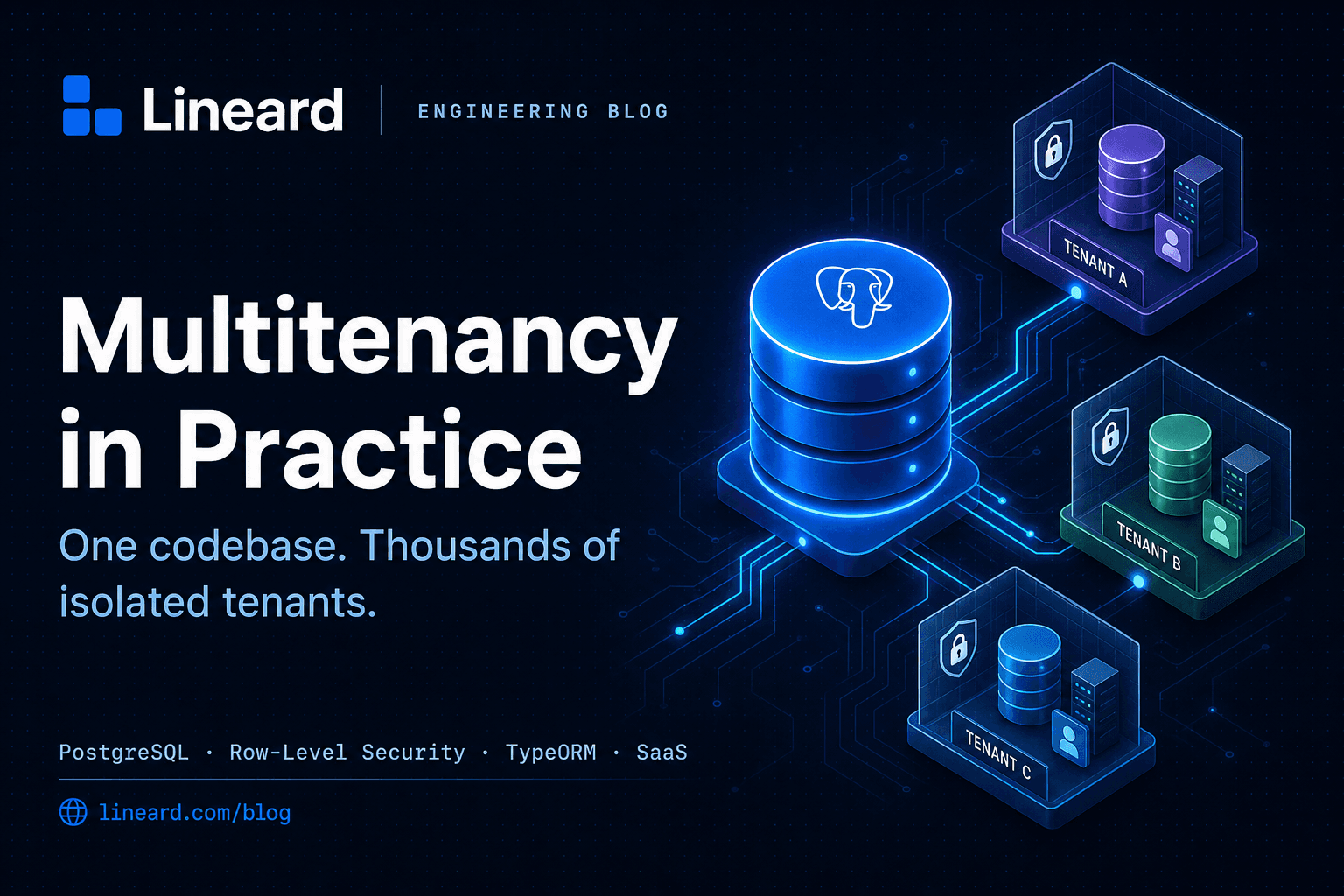
Multitenancy is the architecture that lets a single deployment of your application serve many isolated customers — each with their own users, data, and configuration — without spinning up a separate stack per customer. Get it right and you scale to thousands of tenants on one codebase. Get it wrong and you leak one customer's data into another's dashboard. This guide walks through the three isolation models, when to choose each, and a complete, production-grade implementation in Node.js, TypeScript, PostgreSQL, and TypeORM.
We'll build up from first principles: resolving the current tenant on every request, scoping every query automatically, enforcing isolation at the database layer with Postgres Row-Level Security, running migrations across tenants, and carrying tenant context into background jobs and caches. Every snippet is self-contained — adapt the names to your domain.
What “tenant” actually means
A tenant is the unit of isolation — usually a customer organization, a workspace, or an account. Every row of business data belongs to exactly one tenant, and no request should ever see data outside its own tenant. The whole discipline of multitenancy is about making that guarantee impossible to violate by accident, not merely unlikely.
The golden rule
Isolation should be enforced at the lowest layer you can afford. Application-level filtering is convenient; database-level enforcement is safe. Production systems do both — defense in depth — so a single missing WHERE clause can never become a data breach.
The three isolation models
There are three canonical ways to isolate tenant data. They trade off isolation strength against operational cost and density (how many tenants you can pack per server).
| Model | Isolation | Density | Best for |
|---|---|---|---|
| Shared schema (row-level) | Logical (tenant_id column) | Highest | SaaS with many small/medium tenants |
| Schema-per-tenant | Strong (separate namespaces) | Medium | Mid-market, per-tenant customization |
| Database-per-tenant | Strongest (physical) | Lowest | Enterprise, compliance, data residency |
1. Shared schema with a tenant discriminator
Every table carries a tenant_id column, and every query is filtered by it. This is the densest and cheapest model — one schema, one connection pool, thousands of tenants — and the one most SaaS products start with. The risk is that isolation depends on discipline: forget a filter and you leak data. We'll close that gap with Row-Level Security later.
2. Schema-per-tenant
Each tenant gets its own Postgres schema (tenant_acme.users, tenant_globex.users) inside a shared database. Isolation is stronger and you can customize a tenant's structure, but migrations must run across every schema and you hit practical limits in the low thousands of schemas.
3. Database-per-tenant
Each tenant gets a dedicated database (or even a dedicated server). This gives the strongest isolation, simplest per-tenant backup/restore, and supports data residency requirements — at the cost of the most operational overhead and the lowest density. Common for enterprise tiers.
A pragmatic hybrid
Many mature products run a hybrid: shared schema for the long tail of small tenants, and a dedicated database for large enterprise accounts that demand physical isolation. Design your tenant-resolution layer so the rest of the app doesn't care which model a given tenant uses.
Step 1: Resolve the tenant on every request
Before any query runs, you must know which tenant the request belongs to. The three common strategies are subdomain (acme.app.com), a custom header (X-Tenant-ID), or a claim embedded in the authenticated user's JWT. The JWT claim is the most trustworthy because it's signed — a header can be spoofed by anyone.
import { AsyncLocalStorage } from "node:async_hooks";

export interface TenantContext {
  tenantId: string;
  userId?: string;
}

// AsyncLocalStorage carries tenant context through the whole async call
// chain without threading it through every function signature.
export const tenantStorage = new AsyncLocalStorage<TenantContext>();

export function getTenantId(): string {
  const ctx = tenantStorage.getStore();
  if (!ctx?.tenantId) {
    // Failing closed is critical: never run an unscoped query by default.
    throw new Error("No tenant context — refusing to run an unscoped query");
  }
  return ctx.tenantId;
}

export function runWithTenant<T>(ctx: TenantContext, fn: () => T): T {
  return tenantStorage.run(ctx, fn);
}
Fail closed, never open
If tenant context is missing, throw — do not fall back to “all tenants” or “no filter”. An unscoped query in a multitenant system is a data breach waiting to happen. The default state must be “deny.”
Now resolve the tenant from the request and establish that context. Here's an Express middleware that reads a verified JWT claim and falls back to subdomain resolution.
import type { Request, Response, NextFunction } from "express";
import { runWithTenant } from "./tenant-context";
import { verifyJwt } from "../auth/jwt";

export async function tenantMiddleware(
  req: Request,
  res: Response,
  next: NextFunction,
) {
  try {
    // 1. Prefer the signed token claim — it cannot be forged.
    const token = req.headers.authorization?.replace("Bearer ", "");
    let tenantId: string | undefined;
    let userId: string | undefined;

    if (token) {
      const claims = await verifyJwt(token);
      tenantId = claims.tenantId;
      userId = claims.sub;
    }

    // 2. Fall back to subdomain for unauthenticated, tenant-scoped routes
    //    (e.g. a tenant's public login page).
    if (!tenantId) {
      const host = req.hostname;              // acme.app.com
      const sub = host.split(".")[0];
      if (sub && sub !== "app" && sub !== "www") {
        tenantId = await resolveTenantIdBySlug(sub);
      }
    }

    if (!tenantId) {
      return res.status(400).json({ error: "Unable to resolve tenant" });
    }

    // 3. Bind context for the remainder of the async request lifecycle.
    runWithTenant({ tenantId, userId }, () => next());
  } catch (err) {
    next(err);
  }
}
Step 2: Model tenant-owned entities
In the shared-schema model, every tenant-owned entity needs a tenantId column, indexed, and ideally part of a composite index with whatever you filter on most. Define a base entity so you never forget it.
import {
  PrimaryGeneratedColumn,
  Column,
  Index,
  CreateDateColumn,
  UpdateDateColumn,
} from "typeorm";

export abstract class TenantBaseEntity {
  @PrimaryGeneratedColumn("uuid")
  id: string;

  // Every tenant-owned row carries this. Indexed because every query filters on it.
  @Index()
  @Column("uuid")
  tenantId: string;

  @CreateDateColumn()
  createdAt: Date;

  @UpdateDateColumn()
  updatedAt: Date;
}import { Entity, Column, Index } from "typeorm";
import { TenantBaseEntity } from "../common/tenant-base.entity";
@Entity("projects")
// Composite index: tenant-scoped lookups by status stay fast at scale.
@Index(["tenantId", "status"])
export class Project extends TenantBaseEntity {
@Column()
name: string;
@Column({ default: "active" })
status: "active" | "archived";
}Step 3: Scope every query automatically
Manually adding where: { tenantId } to every query is exactly the discipline that fails in practice. Instead, centralize it. A small repository wrapper injects the tenant filter on reads and stamps tenantId on writes, pulling the value from the async-local context so callers never pass it explicitly.
import {
  Repository,
  ObjectLiteral,
  FindManyOptions,
  FindOneOptions,
  DeepPartial,
} from "typeorm";
import { getTenantId } from "../tenant/tenant-context";

// Wraps a TypeORM repository so tenant scoping is automatic and unavoidable.
export class TenantRepository<T extends ObjectLiteral> {
  constructor(private readonly repo: Repository<T>) {}

  private scoped<O extends { where?: any }>(options: O = {} as O): O {
    const tenantId = getTenantId();
    const where = options.where;
    return {
      ...options,
      where: Array.isArray(where)
        ? where.map((w) => ({ ...w, tenantId }))
        : { ...(where ?? {}), tenantId },
    };
  }

  find(options?: FindManyOptions<T>) {
    return this.repo.find(this.scoped(options));
  }

  findOne(options: FindOneOptions<T>) {
    return this.repo.findOne(this.scoped(options));
  }

  async create(data: DeepPartial<T>) {
    const entity = this.repo.create({ ...data, tenantId: getTenantId() });
    return this.repo.save(entity);
  }

  async update(id: string, data: DeepPartial<T>) {
    // Scope the update so one tenant can never mutate another's row by id.
    return this.repo.update({ id, tenantId: getTenantId() } as any, data as any);
  }

  async delete(id: string) {
    return this.repo.delete({ id, tenantId: getTenantId() } as any);
  }
}
Why this pattern wins
Application code calls projects.find() with no tenant argument at all. The scoping is invisible, centralized, and impossible to forget — which is exactly what you want for a security-critical invariant.
Step 4: Enforce isolation at the database with RLS
Application-level scoping is necessary but not sufficient. A raw query, a new developer, or a forgotten code path can still bypass it. PostgreSQL Row-Level Security (RLS) makes the database itself refuse to return rows from the wrong tenant — a true safety net beneath your application logic.
The approach: set a session variable (app.tenant_id) at the start of each request/transaction, then write policies that compare every row's tenant_id against it.
-- Enable RLS on the table
ALTER TABLE projects ENABLE ROW LEVEL SECURITY;
-- Force it even for the table owner (don't exempt the app's role)
ALTER TABLE projects FORCE ROW LEVEL SECURITY;

-- Rows are visible/writable only when they match the session's tenant.
CREATE POLICY tenant_isolation ON projects
  USING (tenant_id = current_setting('app.tenant_id', true)::uuid)
  WITH CHECK (tenant_id = current_setting('app.tenant_id', true)::uuid);
The USING clause filters reads and the rows eligible for update/delete; WITH CHECK prevents inserting or updating a row into a tenant you don't belong to. The true second argument to current_setting makes it return NULL rather than erroring when unset — and since NULL matches nothing, an unset tenant sees zero rows, which is the fail-closed behavior we want.
Now set that session variable per request. With TypeORM, run it inside a transaction:
import { DataSource } from "typeorm";
import { getTenantId } from "../tenant/tenant-context";

// Runs work in a transaction with the Postgres session bound to the tenant,
// so RLS policies apply to every statement inside.
export async function withTenantTransaction<T>(
  dataSource: DataSource,
  work: (manager: import("typeorm").EntityManager) => Promise<T>,
): Promise<T> {
  const tenantId = getTenantId();
  return dataSource.transaction(async (manager) => {
    // set_config(..., true) = scoped to this transaction only.
    await manager.query("SELECT set_config('app.tenant_id', $1, true)", [tenantId]);
    return work(manager);
  });
}
Use a non-superuser role
RLS is bypassed by superusers and roles with the BYPASSRLS attribute. Make sure your application connects as a restricted role. Combined with FORCE ROW LEVEL SECURITY, this guarantees the policy applies even to the table owner.
Step 5: Run migrations across tenants
Migrations differ sharply by model. In the shared schema, a migration runs once — the tenant_id column is just part of the table. This is the simplest case and works exactly like the standard TypeORM migration workflow.
For schema-per-tenant, you must iterate every tenant schema and run the migration in each, inside its own transaction so one failure doesn't poison the rest.
import { AppDataSource } from "../src/data-source";

async function migrateAllSchemas() {
  await AppDataSource.initialize();

  const tenants: { schema: string }[] = await AppDataSource.query(
    "SELECT schema_name AS schema FROM information_schema.schemata WHERE schema_name LIKE 'tenant_%'",
  );

  for (const { schema } of tenants) {
    const runner = AppDataSource.createQueryRunner();
    try {
      await runner.connect();
      await runner.startTransaction();
      await runner.query(`SET search_path TO "${schema}"`);
      // Run pending migrations against this schema's search_path.
      await AppDataSource.runMigrations({ transaction: "none" });
      await runner.commitTransaction();
      console.log(`✓ migrated ${schema}`);
    } catch (err) {
      await runner.rollbackTransaction();
      console.error(`✗ failed ${schema}:`, err);
      // Keep going so one bad tenant doesn't block the rest.
    } finally {
      await runner.release();
    }
  }
  await AppDataSource.destroy();
}

migrateAllSchemas();
Plan for partial failure
Across hundreds of schemas, some migrations will fail individually. Always run each in its own transaction, log failures, and continue — then reconcile the stragglers. A single global transaction across all tenants is both slow and brittle.
Step 6: Database-per-tenant connection routing
If you offer a dedicated database tier, you need to route each request to the right connection — and cache those connections so you're not reconnecting on every call. A simple connection manager keyed by tenant does the job.
import { DataSource } from "typeorm";
import { getTenantId } from "./tenant-context";

const pool = new Map<string, DataSource>();

async function lookupTenantDbConfig(tenantId: string) {
  // Fetch connection details from a central "control plane" database.
  // Cache this lookup in production to avoid a round-trip per request.
  return getControlPlaneConnection(tenantId); // { host, database, ... }
}

export async function getTenantDataSource(): Promise<DataSource> {
  const tenantId = getTenantId();

  const existing = pool.get(tenantId);
  if (existing?.isInitialized) return existing;

  const config = await lookupTenantDbConfig(tenantId);
  const ds = new DataSource({
    type: "postgres",
    host: config.host,
    database: config.database,
    username: config.username,
    password: config.password,
    entities: ["dist/**/*.entity.js"],
    // Keep pools small per tenant; you may have many tenants per process.
    extra: { max: 5 },
  });

  await ds.initialize();
  pool.set(tenantId, ds);
  return ds;
}
Watch your connection math
With database-per-tenant, connections multiply fast: tenants × pool size × app instances. Keep per-tenant pools small, evict idle DataSources, and consider an external pooler like PgBouncer in front of Postgres so you don't exhaust max_connections.
Step 7: Carry tenant context into jobs and caches
Tenant context is easy to lose the moment you leave the request lifecycle — in a queue worker, a cron job, or a cache key. Two rules keep you safe.
Namespace every cache key by tenant
import { getTenantId } from "../tenant/tenant-context";

// A shared Redis cache MUST namespace keys, or tenant A reads tenant B's value.
function tenantKey(key: string): string {
  return `t:${getTenantId()}:${key}`;
}

export async function cacheGet(redis: Redis, key: string) {
  return redis.get(tenantKey(key));
}

export async function cacheSet(redis: Redis, key: string, value: string, ttl = 300) {
  return redis.set(tenantKey(key), value, "EX", ttl);
}
Persist tenant id into the job payload
Background workers run outside the request, so the async-local context is gone. Store tenantId in the job data when you enqueue, and re-establish context when you process.
import { Worker } from "bullmq";
import { runWithTenant } from "../tenant/tenant-context";

// When enqueueing: always include the tenant.
//   await emailQueue.add("welcome", { tenantId: getTenantId(), userId });

new Worker("email", async (job) => {
  const { tenantId, userId } = job.data;
  if (!tenantId) throw new Error("Job missing tenantId — refusing to process");

  // Re-establish context so downstream queries are correctly scoped.
  await runWithTenant({ tenantId, userId }, async () => {
    await sendWelcomeEmail(userId);
  });
});
Step 8: Test isolation like your business depends on it
It does. The single most important test in a multitenant system asserts that tenant A cannot read or mutate tenant B's data — across the repository layer, the API, and the database policies. Write it once, run it forever.
import { runWithTenant } from "../src/tenant/tenant-context";

describe("tenant isolation", () => {
  it("never returns another tenant's rows", async () => {
    // Seed a project for tenant A.
    const project = await runWithTenant({ tenantId: "tenant-a" }, () =>
      projects.create({ name: "Secret Plan" }),
    );

    // Tenant B must not see it.
    const leaked = await runWithTenant({ tenantId: "tenant-b" }, () =>
      projects.findOne({ where: { id: project.id } }),
    );
    expect(leaked).toBeNull();

    // Tenant B must not be able to update it.
    const result = await runWithTenant({ tenantId: "tenant-b" }, () =>
      projects.update(project.id, { name: "Hijacked" }),
    );
    expect(result.affected).toBe(0);
  });

  it("refuses to run without tenant context", async () => {
    await expect(projects.find()).rejects.toThrow(/No tenant context/);
  });
});
Common pitfalls to avoid
- Trusting a client-supplied tenant header. Anyone can send
X-Tenant-ID. Derive tenant identity from a signed token, or validate the header against the authenticated user's allowed tenants. - Forgetting the unique-constraint scope. A unique email should be unique per tenant, not globally. Use composite uniques like
UNIQUE (tenant_id, email). - Cross-tenant foreign keys. Validate that a referenced row belongs to the same tenant; a raw FK won't enforce that on its own.
- Unnamespaced caches and search indexes. Redis keys, Elasticsearch indices, and file-storage prefixes all need the tenant baked in.
- Noisy-neighbor effects. One heavy tenant can starve others in a shared pool. Add per-tenant rate limits and consider query timeouts.
- Leaky logs and metrics. Tag logs with
tenantIdfor debugging, but never log another tenant's data in shared dashboards.
Choosing your model: a decision shortcut
| If you need... | Choose |
|---|---|
| Maximum density, fastest time-to-market | Shared schema + RLS |
| Per-tenant customization without huge ops cost | Schema-per-tenant |
| Compliance, data residency, physical isolation | Database-per-tenant |
| A bit of everything | Hybrid (shared + dedicated enterprise) |
The takeaway
Start with shared schema plus Postgres RLS — it's the highest-leverage combination: dense, cheap, and safe by default. Centralize tenant resolution and query scoping so the rest of your app stays blissfully unaware of the plumbing, and you'll be able to graduate specific tenants to dedicated databases later without rewriting your domain logic.
Need a hand shipping this?
We design and build production deployment pipelines, backends, and payment systems. Let's talk about your setup.
Book a free intro call